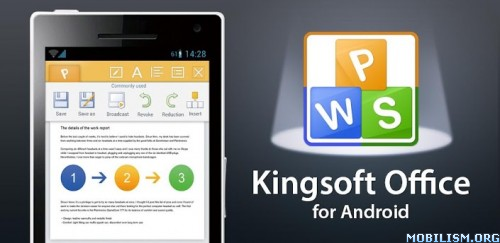
Kingsoft Office v5.5.5 android apk

Image
Kingsoft Office v5.5.5 android apk app 

Kingsoft Office is the only mobile Office with full-features FREE. Support for running on Android 2.1 and above system. User-friendly & nice UI interface! Users from over 200 countries and regions around the world are using it. The Average Rating of Kingsoft Office is up to 4.6 stars! Whether in a small cell phone screen or on a large screen on the Tablet, Kingsoft Office has a superior performance!

【THE BEST CHOICE FOR YOUR MOBILE OFFICE】
★ Rich editing features! All is FREE!
★ Small Size, Stable Operation, and Special interface!
★ Support 23 kinds of files, including DOC/DOCX/TXT/XLS/XLSX/PPT/PPTX/PDF
★ Built-in file manager that can automatically organize your office document
★ Tight integration with the mail application
★ Support cloud storages such as Google Drive, Dropbox, Box.net and other services with WebDAV protocol
★ A variety of gestures operations, which make your work more interesting
★ Support different Read Mode which be closer to the users’ need

【FEEDBACKS FROM USERS】
★ "The best free office's app!"
★ "So Smart! Mobile Office Changed Now!"
★ "Outstanding. Tried them all and this is the best. That's it!"
★ "Nice Office App. Very useful, nice UI, like it better than the others I've tried."
And the G+ of our page is more than 20,000. It will be our pleasure that you click the G +1 on the right of the page if you like the app.

SPECIAL FEATURES:
【WRITER】
◇Support for opening documents sizing 100M above
◇Can view and edit documents in Page-Layout or Web-Layout
◇Bookmark and rapid positioning features
◇Save document as PDF
◇Spell Check
◇Print feature
◇Manual Paint, Comment and Revise
◇Rich formatting features including bold, italics, underline, font color, alignment, tables, alignment, header, footer, word count, find & replace, full-screen, etc.
◇Insert Picture feature, and support picture operations like deleting, rotating, moving, zoom, wrapping, etc.
◇Display a variety of graphic objects, equation, symbol, number and tables wrap effects
【SPREADSHEETS】
※Support for opening large documents sizing 200M above
※Custom input keyboard, which supports for inserting and editing formulas
※Include filter, sort, cell, fill, find & replace, wrap, format painter, freeze panes, autosum features, etc.
※Quick Calculation feature of backplane
※Support for speedy dialing of selected numbers and sending emails
※Insert, view and delete comments
※Display the radar charts, separation pie charts, composite pie charts, ring charts, etc. in the XLS files
※Support Print documents and the output of PS, PDF formats
【PRESENTATION】
◇Share Play
◇With thumbnails list like PC Office, for convenient slide switch
◇Compatible with the SmartArt display
◇Bullets and Numbers, Frame, Paragraph and Quick Style
◇Support for inserting and editing shapes, text box, pictures and notes
◇Display charts and tables
◇Slide Layout feature
◇Variety of play modes and laser pointer display
【PDF】
※Read memory
※Zoom
※Full-screen
【OTHER KEY FEATURES】
·Support external Bluetooth keyboard and USB keyboard input
·Support external keyboard shortcuts (Ctrl-C, Ctrl-V, Ctrl-S, etc. And we are adding more)
·Encrypted document
·Support the display of Arabic documents
·Display history files as photos wall
·Desktop Widget

What's in this version:
1.Added: In Presentation, supported arrow keys of external devices and mouse wheel to switch slides.
2.Fixed: In Writer, fixed the undo operation issue when recovering the changed fonts to the original fonts.
3.Fixed: In Spreadsheet, if open a document with setting “Filter-Filter by cell color- No Fill”, it shows “Exit with unknown error”.
4.Fixed some other bugs.
Free Download here
Ghost Commander File Manager v1.50.1 android apk

ImageGhost Commander File Manager v1.50.1 android apk  app 

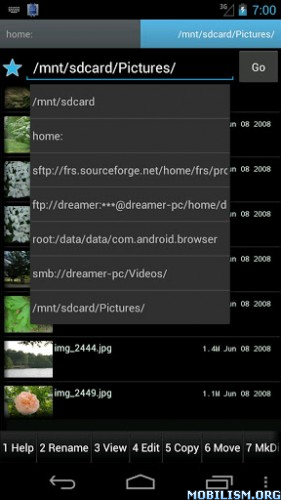
It lets you manage your files, copy and move them from one panel to another. That's more convenient than that explorer - like "copy" and then "paste" steps.

But its abilities are not limited by the device's SD-card, this file manager can also transfer (upload or download) files to and from FTP servers and Windows network shares (Samba plug-in is required to be installed), create or extract ZIP archives. For the advanced users, this file manager has also the "root:" (or "su" - super user) mode that is essential to work with system files on a rooted phone, to change file permissions attributes and owners (chmod and chown) and even execute your own shell commands.

Please note the following: to select more than one files tap on the right side of the panel, but to activate a file by its extension (or enter into a sub-folder) tap on the left side. That's right, one side will make the file be activated, and the other side will make the file be selected.


The application comes with a lot of customizable options which allow you to adjust its behavior to your personal habits.

The Ghost Commander file manager features include but not limited to:
* multiselect (manual or by wildcards)
* pictures thumbnails
* favorite folders and locations
* calculation of the total size of the selected folders and files
* sorting - by file names, by extension, by size, by date
* file search for files
* text editor (built-in or third-party pluggable)
* text and picture viewers
* open a file with the appropriate application (i.e. install an .apk, show a picture or play a movie)
* send files (via email or bluetooth)
* many personalization settings: colors, font size, interface language, custom toolbar set
* manage files on SD card
* can do all the basic stuff like: create directory, text file, delete files and folders, copy files and/or folders
* FTP client. FTP download and upload
* supports archives like ZIP - creation and extraction
* super user mode - remount the /system or any other partition, make changes in the system files, etc.

What's in this version:
v1.50.1
Some fixes. Fixed the error on creation a zip file.
v1.50
Allows to send a copy process to the background and continue using the file manager while a file operation is still in progress.
Please update the plugins as well.
Free Download here

DCikonZ Light v1.2.4 android apk

Image
DCikonZ Light v1.2.4 android apk app 

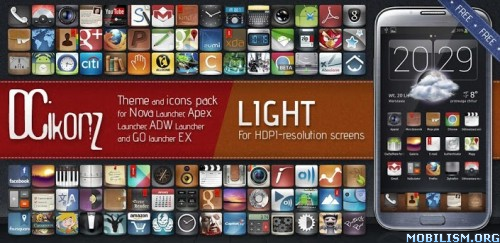
This is theme & icons pack for most popular Launchers. This is NOT Launcher.
You MUST have installed one of this Launchers to use this theme: "ADW Launcher", "Nova Launcher", "Apex Launcher" or "Go launcher EX".

No ads, no permissions and it's free :) The main thread of this project is the XDA forum:
http://forum.xda-developers.com/showthr ... ?t=1972383

---- Please, click "MORE" and read how to apply this theme ----

You can send requests for specific programs icon on the forum or my e-mail.
You can also help to develop this theme, details is on my website :)

Elegant and toned theme & icons pack for ADW, Nova, Apex, Holo, Atom and Go launcher.

» FEATURES «

- 1450 icons and growing.
- 4 Wallpapers included.
- Dock for Go Launcher.
- Works with Nova, Apex, Go, Holo, Atom and ADW Launcher. Can work with others, but there is no guarantee.

What's in this version:
1.2.4 - 170 new icons + fixes and updates.
Free Download here

Holo Icons (Nova/Apex/Go/ADW) v1.2.2 android apk

Image
Holo Icons (Nova/Apex/Go/ADW) v1.2.2 android apk app 

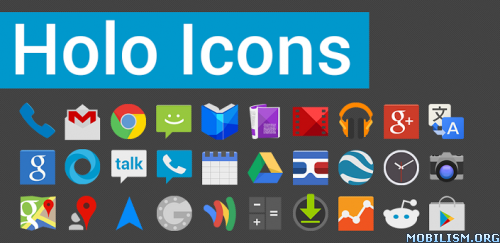
Holo Icons is an icon pack containing 350+ icons with a simple, holo-ish feel for Apex Launcher, Nova Launcher, Go Launcher EX, ADW, & others. More icons will be added!

This is NOT an Application or Launcher - this is an Icon Pack, used to replaced your default launcher icons. This Icon Pack is compatible with most popular launchers available for free in Google Play.

You MUST have installed one of these launchers to use these icons:

Nova Launcher
ADW Launcher
Apex Launcher
Atom Launcher
Holo Launcher
Go launcher EX

====================================
Visit http://www.unseenvision.com/p/help.html for help, links and more info.

You can request and vote for specific app icons at: http://goo.gl/mod/M4XY.
====================================

To apply this theme:

Nova Launcher:
Nova Settings > Look and feel > Icon Theme > Holo Icons

Apex Launcher:
Apex settings > Theme settings > Holo Icons > Apply

Go Launcher EX:
Themes > Installed > Holo Icons > Apply

ADW Launcher:
ADW Settings > Themes > Holo Icons > Apply

Holo Launcher:
Appearance Settings >Icon pack > Holo Icons

Atom Launcher:
Launcher settings > Theme > Holo Icons > Use Theme

What's in this version:
1.2.2
• Fixed all non-themed "boxed", top-down icons
• Some icons added
• Fixed color on lots of icons
• Updated many icons
Free Download here