SuperGNES (SNES Emulator) apk 1.3.10

Image

The premier Super Nintendo emulator! Developed from the ground up to deliver the fastest play possible. Easily locate and play your favorite titles by scanning your phone, viewing your list of installed ROMs complete with cover art. Save your progress at any time and return instantly to where you left off, thanks to a quick save state system. A huge database of Game Genie™ and Pro Action Replay™ codes rounds off the package to deliver the ultimate SNES emulation experience.

• Fastest emulation, best game compatibility
• Ultra-fast SuperFX core support for playing StarFox & Yoshi's Island
• SA1 chip support for Mario RPG, Kirby, and more
• Network multiplayer using WiFi or Bluetooth
• Slick user interface
• On-screen multitouch controls with optional rumble feedback
• Advanced layout editor for on-screen controls
• Custom screen size and orientation
• Auto-detects games and displays cover art
• Custom control mapping
• Save games with screen shot
• Thousands of cheats (Pro Action Replay™, Game Genie™)
• In-game GameFAQs™ integration
• Fast-forward games using turbo skip
• Support for SMC, FIG, SFC, ZIP, and 7z formats
• Helpful and responsive customer service

See FAQ or Game Compatibility List at SuperGNES.com.

No game titles are included. Please obtain self created backup copies of rightfully owned physical cartridges for use with SuperGNES.

** Actual SNES emulation developers. SuperGNES is regularly updated and supported. **

What's in this version:
Release 80
- Dropbox cloud syncing support for continuous play across devices.
- Screenshot now saved into Save State files.
- Support for the Moga Pro controller.
- Fixed duplicate ROM entry bug.
- Cheat codes expanded to support larger entries.

Free Download here
RoundR apk 2.6.0.0

Image

Image Image

Functionality
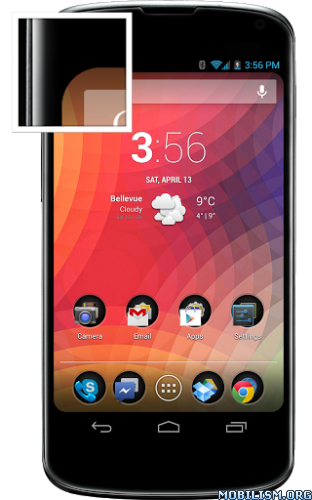
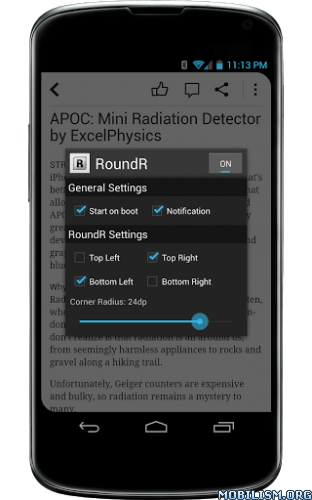
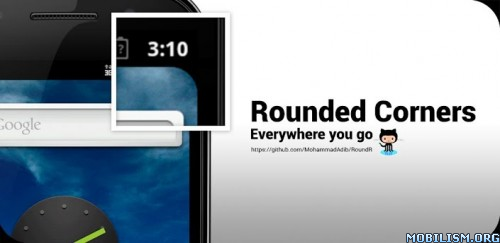
RoundR takes advantage of the fact that regardless of the device's color, the screen is surrounded with a pitch black border, the corners of which are rarely ever touched. RoundR places four small overlays at the corners of the display, to simulate a rounded screen.

Source Code
RoundR uses Mark Wei's brilliant StandOut library to display four overlays each of which sit at different corners, displaying a black image of a rounded corner. The source code for Mark's StandOut library (modified) & RoundR can be found on GitHub.

RoundR with modified StandOut: https://github.com/MohammadAdib/RoundR under the Apache 2.0 License

StandOut: https://github.com/pingpongboss/StandOut

Development
Follow the development on XDA: http://forum.xda-developers.com/showthread.php?t=1688531

What's new in this version:
Minor Breakthrough v2.6.0
- Added functionality to overlap the status bar for devices without a black status bar
Free Download here

LockerPro Lockscreen apk 3.4

Image
LockerPro Lockscreen apk 3.4 android download 

« LockerPro Lockscreen for Android Puts App Notifications Right On Your Lock Screen », Lifehacker (December 2012)
« LockerPro is the nicest Android lock screen replacement I've come across », PhoneDog (December 2012)
« LockerPro Lockscreen is a great app that implements notifications really elegantly », Redmond Pie (December 2012)

Try the smartest lock screen for Android !
LockerPro allows you to check your notifications without unlocking your device.
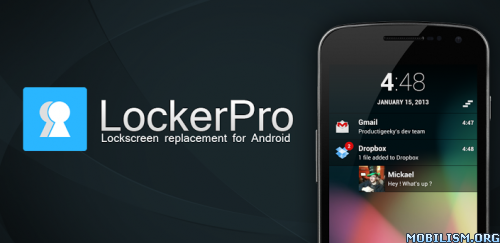
LockerPro monitors notifications coming from any app on your device, and displays them as banners on your lock screen. You can easily swipe them away by swiping them to the left, or launch the notification by swiping to the right.
When your device is unlocked LockerPro provides banner notifications in the top of your screen even when running fullscreen apps so that you don't miss them.
LockerPro also provides a shortcut panel and music playback control. Simply swipe the clock to the right to access the shortcut panel, and to the left to access music playback control.
Contact picture, custom ringtone, quick reply for SMS, direct callback for missed calls, various clock styles, and many other features are available.

What's in this version : (Updated : Apr 30, 2013)
Added an option to disable the shortcut panel
Added an option to disable the widget panel
Added an option to set a quiet period of time
Removed the block system windows feature as it has been disabled by Google since 4.2
Free Download here

Apex Launcher Pro apk 2.0.0 beta 3

Image
Apex Launcher Pro apk 2.0.0 beta 3 android app free download 

Apex Launcher helps you create a customized homescreen experience on your Ice Cream Sandwich (Android 4.0) device.

Features:
- Customizable homescreen grid size and up to 9 homescreens
- Scrollable dock with up to 7 icons per page and up to 5 pages
- Infinite & elastic scrolling (homescreen, drawer and dock)
- Fancy transition effects (tablet, cube, etc.)
- Hide elements as you want (persistent search bar, status bar, or even the dock)
- Customizable icons and labels for shortcuts and folders
- Choose different folder preview styles and background
- Multiple drawer styles (transparent/opaque, horizontal/vertical, paginated/continuous)
- Drawer apps sorting (title, install date, mostly used)
- Hide apps from the drawer
- Lock your desktop to prevent accidental changes
- Enjoy homescreen gestures (pinch, swipe up/down, double tap)
- Backup/restore settings and data
- Optimized for both phones and tablets
- Lots of other customization options!

Apex Launcher Pro (Paid Version) Features:
- Multiple configurable drawer tabs
- Unread count notifications
- Dock swipe gestures
- Two finger gestures
- More transition effects
- Batch add option for folders
- Option to merge folder contents
- Widgets in dock (1x1 only)
- Overlapping widgets
- More features on the way!

Note: Due to limitations of the Android framework, you won't be able to add widgets from the app drawer without root access. If your device is rooted, please enable the Root Helper via Settings > Advanced settings > Enable Root Helper.

Tips:
- Pinch the screen to access screen previews (like Exposé or HTC Sense).
- Long press an icon to drag and drop it over another one to create a folder.
- Long press icons/folders on the desktop and choose edit from the popup menu to customize icons and labels.
- Drag, hover, and drop app icons over the delete button at the top of the screen to quickly uninstall apps.
- Long press an app in the hide apps list to quickly launch that app.
- Switch to single screen wallpaper mode to fix wallpaper zooming issues.
- Enable the Root Helper in advanced settings (root required) to add widgets from the drawer.

Permissions:
- BIND_APPWIDGET: Required to add widgets from the drawer (only if installed as system app).
- CALL_PHONE: Create direct-dial shortcuts on the homescreen.
- EXPAND_STATUS_BAR/SET_WALLPAPER/SET_WALLPAPER_HINTS/VIBRATE: Standard launcher functions.
- INTERNET/ACCESS_NETWORK_STATE: Check for updates and anonymous usage/error reporting (optional).
- WRITE_EXTERNAL_STORAGE: Backup/restore settings and data.
- READ_CONTACTS/READ_SMS/GET_ACCOUNTS/READ_CONTENT_PROVIDER: Missed call and unread SMS/Gmail notifications (pro version).

What's in this version:
v2.0.0beta3 (Apr 30, 2013)
Fixed FC in settings
Free Download here