GO Launcher EX 4.0 beta1 android apk

ImageImageRequirements: Android v2.2+
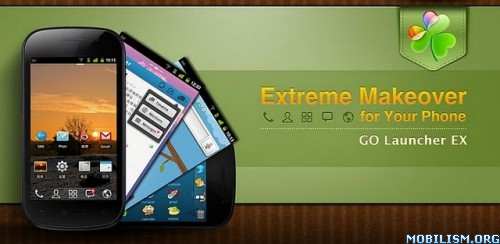
Overview: GO Launcher EX is the extended version of GO Launcher, one of the most popular home apps in Android Market. It’s a highly customizable home replacement application, which will run when you press your android phone’s HOME key. GO Launcher EX supports hundreds of themes, fast flip speed and tons of useful functions.

GO Launcher EX is the most popular Android home launcher replacement app in Google Play. It offers you many first-ever features to customize your own homescreen experience. Go launcher EX provides you speedy and smooth operation, fancy and plentiful themes, and utility functions with imagination.

Facebook: http://www.facebook.com/pages/GO-Launch ... 9522355878

Twitter: https://twitter.com/#!/golauncher

Key Features:
☆ Extremely smooth transition animation
☆ Smooth flipping operation
☆ Thousands of personalized themes
☆ Amazing custom gestures feature offers you more convenience and fun
☆ Various GO widgets (weather, switcher, calendar…)
☆ Efficient and strong app management function, including sorting, hide app, search, cleaning memory and refresh.

New features:
- Supports GO Launcher super themes (more homescreen effects),the last pic above is our "Dryad Super Theme".(Search "Dryad" in google paly, it's free to download)
- Draw patterns to active apps (double click on home screen to active custom gesture)
- Squeezing effect of icons and widgets (Jelly Bean style)
- Drag and swinging icon upward to delete icon or widget.

Tips
1. How to get themes, widgets and lockers?
a) Search ‘go launcher theme’, ‘go widget’ or ‘go locker’ in Android Market.
b) Use GO Store via menu button in GO Launcher.
2. How to set transition animation?
Use ‘Effects settings’ via button in GO Launcher.
3. Icons are too small?
Use ‘Icon Size’ option in ‘Preferences->Visual settings->Icons’ to make icons bigger.
3. Long press the app icon to enter editing mode on home screen and app drawer.
4. Glide up to open menu and glide down to pull down notification.
5. The widgets in the screenshots belong to GO Widget, attainable from Android Market or GO Store.
6. File browser can be found in the lower left of app drawer.
7. Process management feature is found down the running tab of app drawer. Clicking the broom icon and clean the memory.

Important:
1. GO Launcher is a totally free app without any charge.
2. If you cannot set ‘GO Launcher’ as the default home app, download ‘Home Manager’ to fix it.
3. ‘DIRECTLY CALL PHONE NUMBERS’ permission?
It's required by the feature to create shortcuts of ‘person’ and ‘direct dial’. GO Launcher won't make unattended phone call and cost your money.
5. ‘READ CONTACT DATA’ permission?
It's required by the feature to create 'person' shortcut as well as to add contact folder.

Our commitments are respecting user privacy and delivering cool experience. Please help us by rating this app and recommending to the others.
Want an extreme makeover to your phone? Try it out!
Follow Us on
Facebook: http://www.facebook.com/pages/GO-Launch ... 9522355878
Twitter: https://twitter.com/#!/golauncher
Owned by and Visit 3G.cn Through Your Mobile.
Copyright 2004-2012 All Rights Reserved.

Recent changes:
1.(New)New UI4.0 of GO Launcher
2.(New)Add 3D engine
3.(New)Intelligent folder organize

Visit Website
Less description »
Free Download here
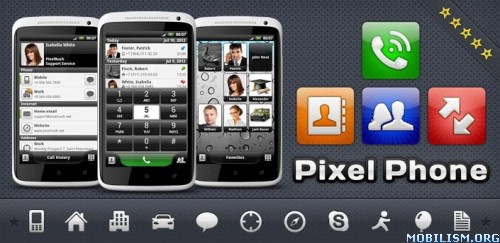
PixelPhone Pro 2.8.6 android apk

ImageRequirements: 2.1 and up
Overview: High application speed, stylish design, convenient and customizable interface. Feel the difference!


★ CONTACTS
• Intelligent search through all contacts fields
• Sorting and display of contact list (Last First, First Last)
• Display of contacts in alphabetical groups
• Quick browsing of contacts using an ABC scroll bar
• Display of contact’s photo, phone number and company name

★ FAVORITES
• Quick and easy arrangement of favorite contacts into groups
• Smooth browsing of contacts in a group or browsing between the groups (up-down and left-right)
• Various ways of icon customization
• Favorite action for any contact (call, message, e-mail, address, …)
• Classical or widescreen wallpapers

★ PHONE
• Quick and configurable smart T9 search through all fields in contacts and call history
• Support of T9 search using 2 languages simultaneously
• Customizable keypad size (small, medium and large)
• Quick dial
• Gestures (hide keypad, clear filter, undo filter)

★ CALL HISTORY
• Sorting by date
• Sorting by contacts
• Call history limitation (3/7/14/28 days, сomplete)
• Filtering (missed calls, all calls)
• Displaying date, duration and type of call

★ CONTACT CARD
• Assignment of HD photo for the contact
• Display of all contact’s fields, grouped into categories (phone, internet, address, …)
• Quick switching between contact’s information and call history (lower panel)
• Creating, editing, deleting and sending contact’s card
• Clipboard support

★ PIXELPHONE
• High speed. Quick launch. Smooth animation and scrolling.
• Stylish design. All interface elements are designed in classical colors and carefully drawn for each device.
• Convenient interface. Despite the application’s user friendliness, it has lots of interesting features.
• Personalization. Flexible configuration of application’s interface and work according to your preferences.
• Support and development. The application is constantly updated with the consideration of users' requests.

What's in this version:
• Added: Relation contact field
• Fixed: Initialization speed
• Fixed: Keep in memory
• Fixed: Invisble icons in notification bar
• Fixed: Clear Phonepad filter after call
• Fixed: Some optimizations
• Other minor fixes
Free Download here

SDS2 Clock Widget 3.3 android apk

ImageRequirements: Android 1.6+
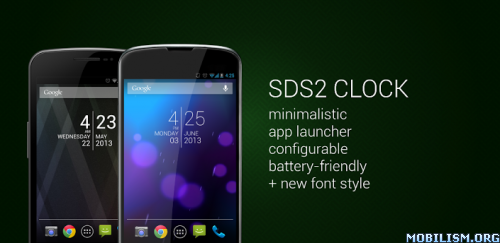
Overview: SDS2 Clock Widget is the fifth clock widget. This digital clock and date widget occupied a size of 4x2. Launcher for your favorite apps (like alarm clock, calendar). Support device language.

NEWS: After SDS CLOCK now SDS2 CLOCK gets also the fresh sleek font style. Check it in your setting.

More great clock widgets, here on the market:
> https://market.android.com/developer?pub=sixdotseven <

Features:
* Two app launcher, start your preferred apps straight from your homescreen.
* Select background color
* Select font color
* Select font shadow

If you're using killer apps, add the service 'SDS2 Clock Service' to the ignore list.

PLEASE NOTE: This is a homescreen widget and not a regular application: It does not "run" from the Applications Drawer, in fact you won't even find its icon there, when the install completes.

To put the widget on your homescreen:
* Long press empty space
* Select Widgets
* Select SDS2 Clock

What's new in this version:
Version 3.3 (hotfix)
Fix font issue. If 'Font Style Light On/Off' unselected, device default font will used.
Free Download here

Facebook Messenger 2.5.3-release android apk

ImageRequirements: Android 2.2+
Overview: Text your friends for free. Get Facebook Messenger to instantly reach friends on their smart phones, feature phones or desktop computers.


Chat heads bring your messages and texts front and center*
- Keep chatting, even while you're using other apps
- Tap a chat head to reply, drag them around or flick them down to close
- Get your SMS and Facebook messages together — currently only available on some phones

Bring conversations to life
- Send voice messages when you have more to say
- Add a photo to share what you're up to
- Have fun with stickers*, smileys and other emoji

Make plans on the go.
- Message a friend or start a group conversation
- Include your location to let friends know you're nearby
- Swipe left to see who's available
- Get push notifications

Messenger does all this using your existing data plan.

*These features will be available to everyone soon.

What's in this version:
2.5.3
- Bug fixes
Free Download here